Power Off Status (Simple Display) Started with WebOS 23 on some models.
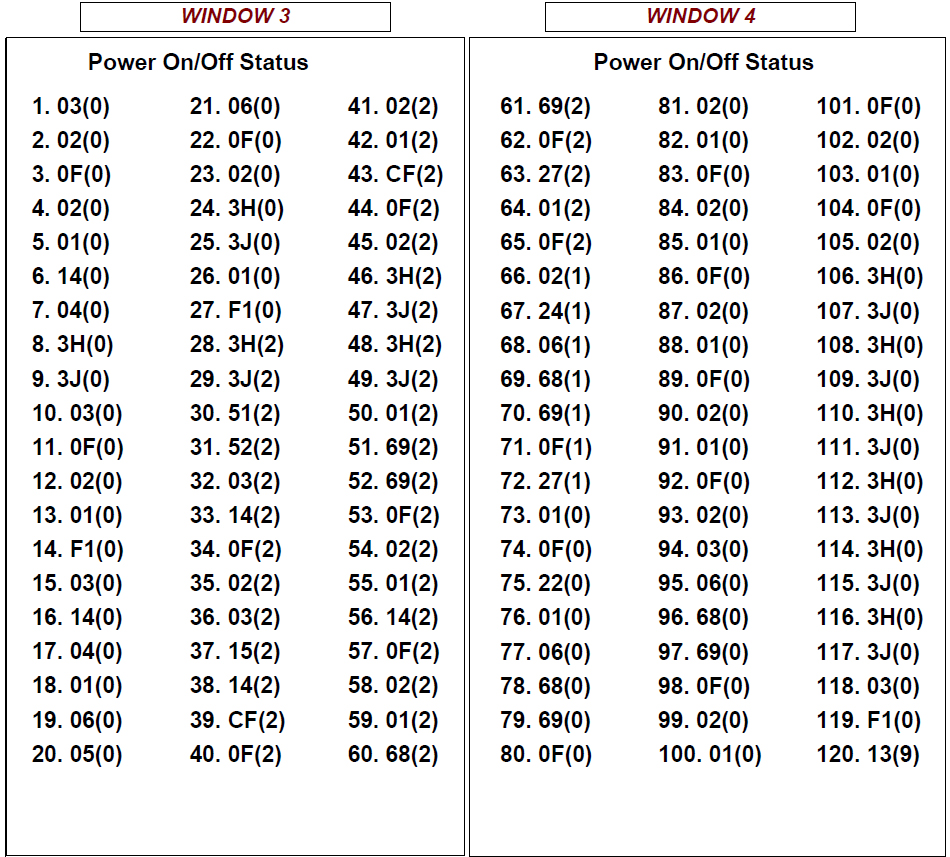
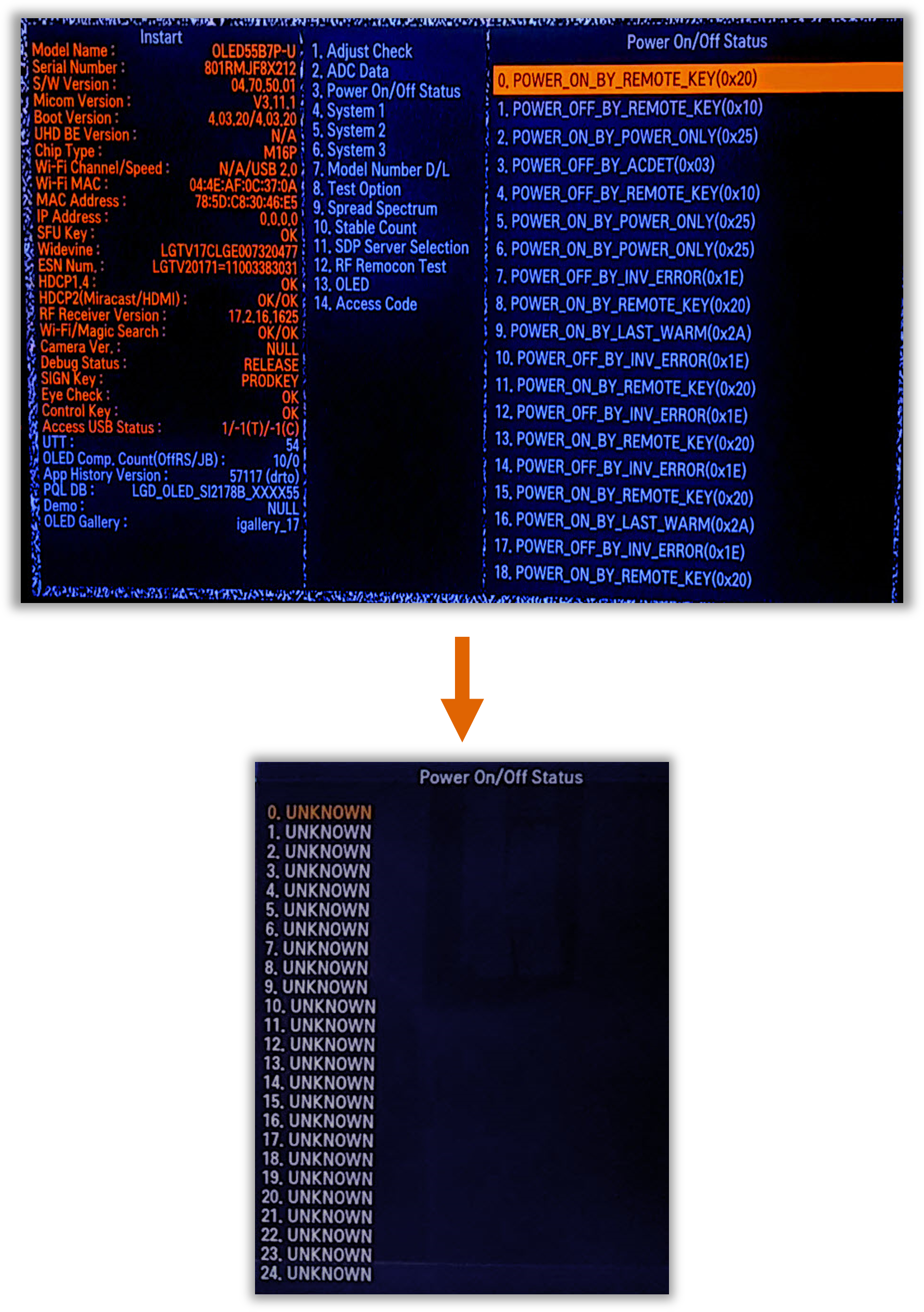
When there is an issue with the Television in which the Customer complains that the TV is turning off all by itself, the Power On/Off Status Menu is invaluable. From this Screen you can see the last 126 reasons the TV either turned On or Turned Off.
An example would be that there are multiple Power Off by Local Key. Most people do not turn their TV on or off using the Joystick. Therefore, the odds are that there is an issue with the Joystick board and/or it’s wiring harness causing an issue.
To access the Service Menu
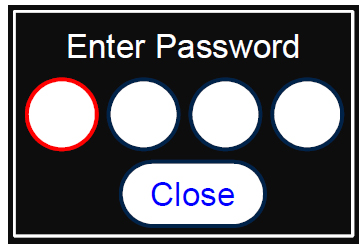
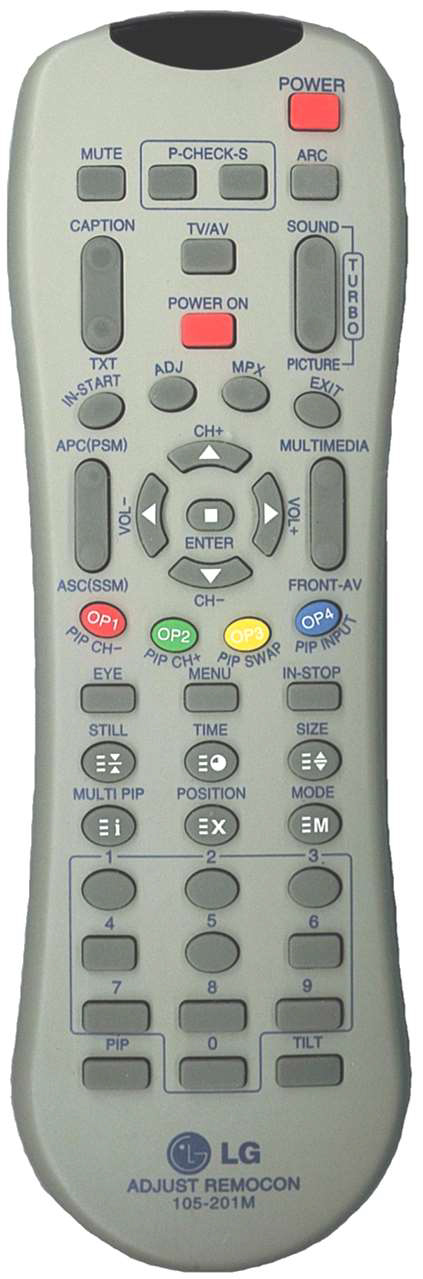
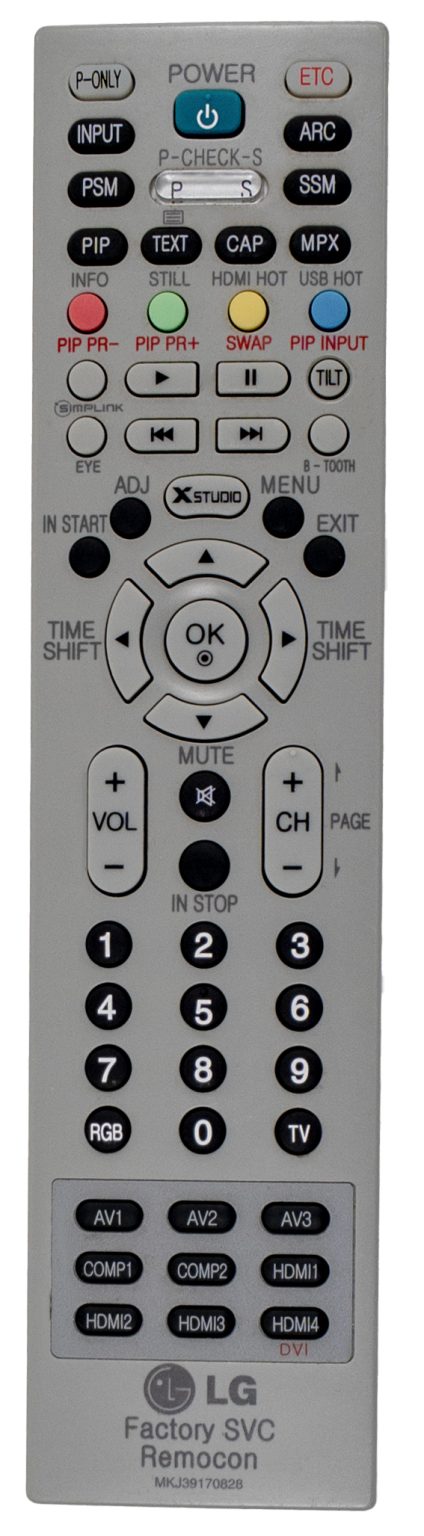
1) You must have either Service Remote. p/n 105-201M or p/n MKJ39170828 2) Press “In-Start” 3) A Password screen appears. 4) Enter the Password.
Note: A Password is required to enter the Service
Menu. Enter; 0413
Note 1: Older sets used 0000.
Note 2: webOS Models: While in the In-Start Menu, the Cursor Right or Cursor Left does not work with the 105-201M remote on the Left. Use the Customer’s Remote Control Cursor Keys.
105-201M
MKJ39170828
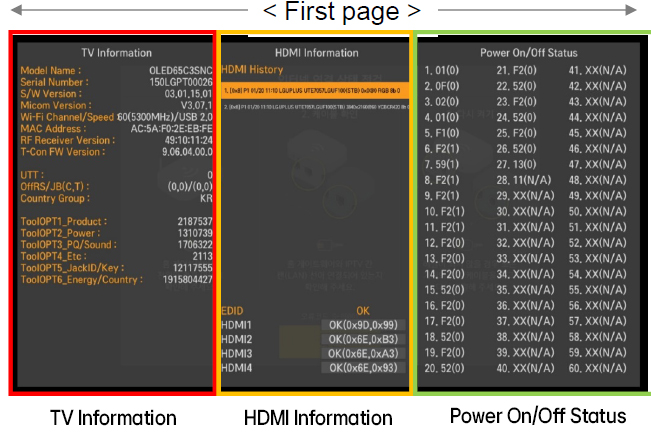
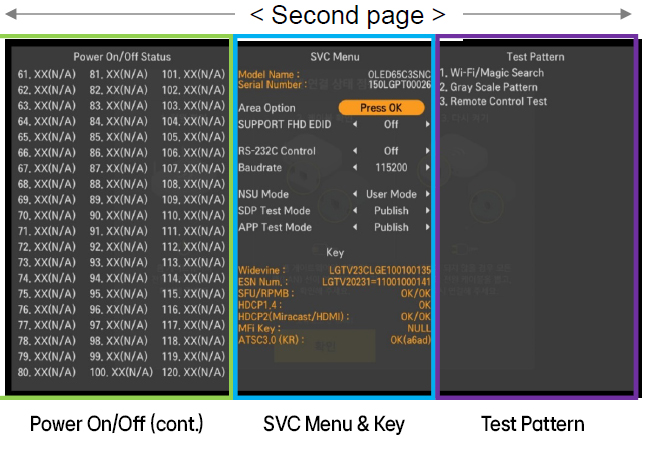
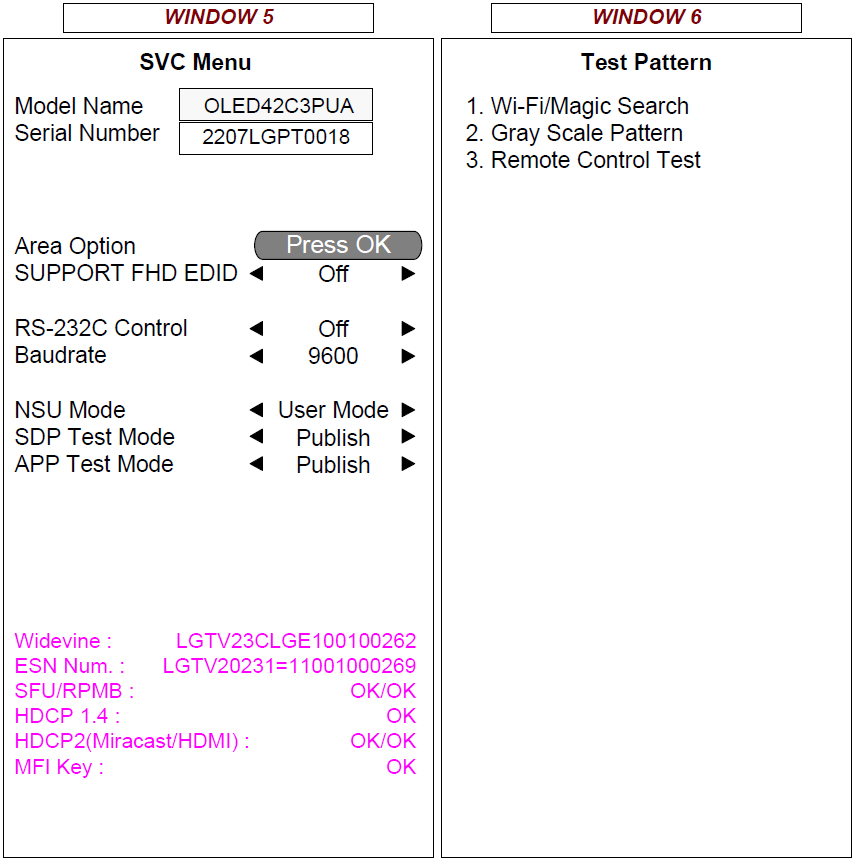
– The New Simple In-Start menu consists of 2 pages containing 3 windows each. – If you press the right arrow key (→) on the first page, you will be directed to the second page. – If you press the left arrow key (←) on the second page, you will be directed to the first page.
1. Power On/Off Status: The lower the number, the more recent it was recorded 1~60 pg1 and 61~120 pg2 (up to 120). 2. Numbers in parentheses represents the UTT at the time, when the error occurred. (Some may display N/A.)
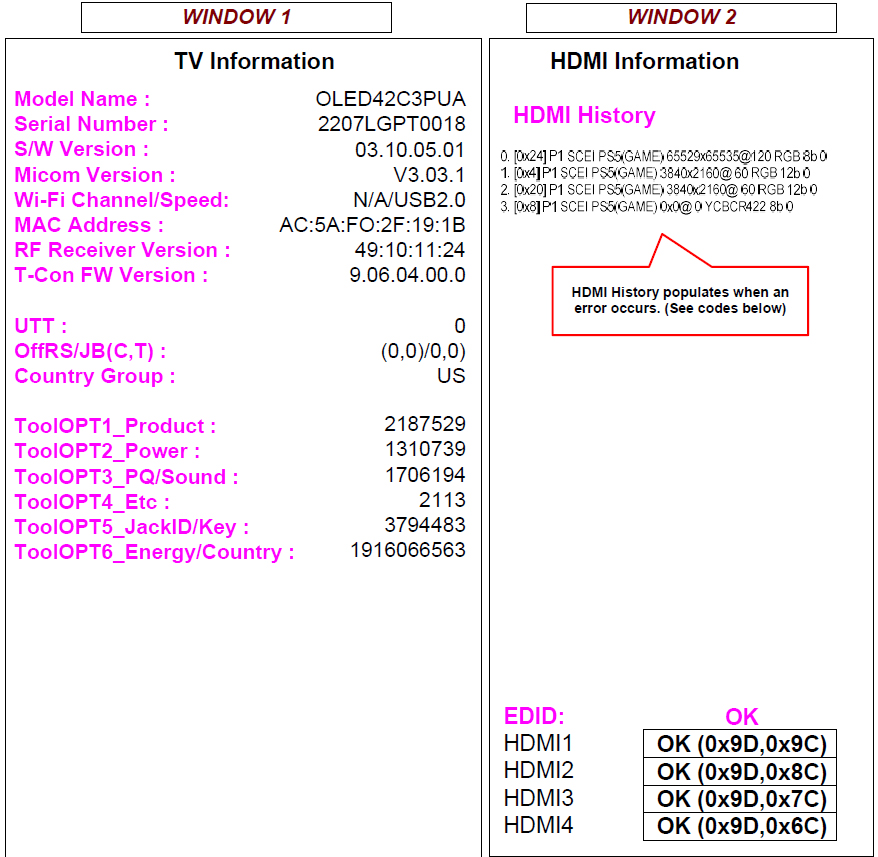
OLED42C3PUA New IN-START Service Menu 1st Window
Bring up the Service Menu using the Service Remote and pressing “In-Start” enter password 0413. 1st Screen (Windows 1, 2 and 3)
If you need to clear the Power Off History go to the first item, highlight it but do not click on it, then press the “0” key 5 times on the Service Remote. Now the Power Off History items will show as “Unknown”.
To clear the Power Off History try highlighting the first entry and then pressing repeatedly either “1” or “0” until the entries change to “unknown” or x or something else.
Thanks
8 Responses
thanks
If you click P-Only before pressing Instar, it will return to Style 2022, you don’t need to look up the code.
If you do this all user data and settings will be lost, if doing this to purely check Logs without disrupting customer experience, do not do this.
Can someone post on here how to clear the history?
To clear the Power Off History try highlighting the first entry and then pressing repeatedly either “1” or “0” until the entries change to “unknown” or x or something else.
Thanks
Question: after viewing the Error History.
What is the correct button sequence to “Exit” the “InStart” menu.
I don’t want to “reset” the TV to the Out of Box State (full setup).
Simply press the Exit button and it should not reset, but should allow you to exit the menu.
Where is the list of what the failure mean? That would be a helpful addition to this page. It was on here at one point.