Power Off Status (Normal Display) WebOS 22 and earlier and Some WebOS 23
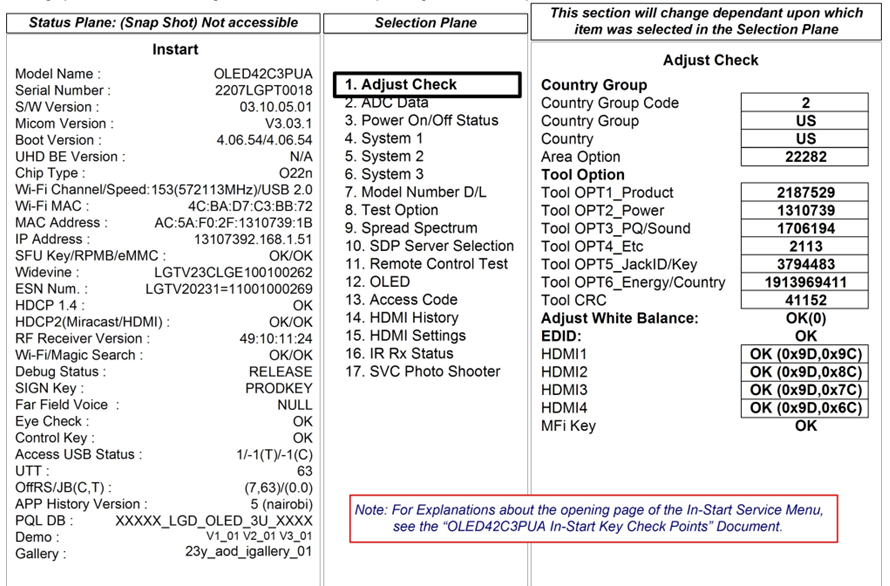
New “Simple” In-Start Service Menu Screens Power On/Off Status (History)
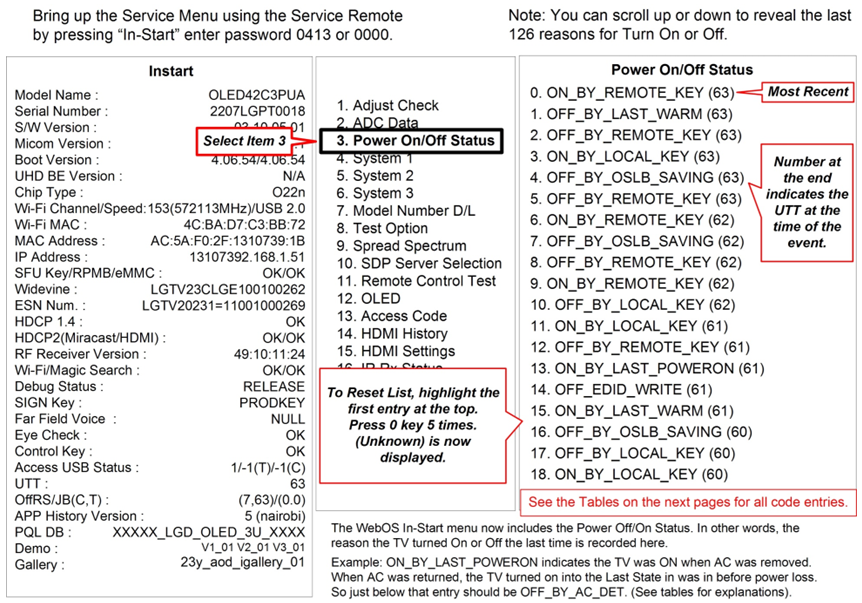
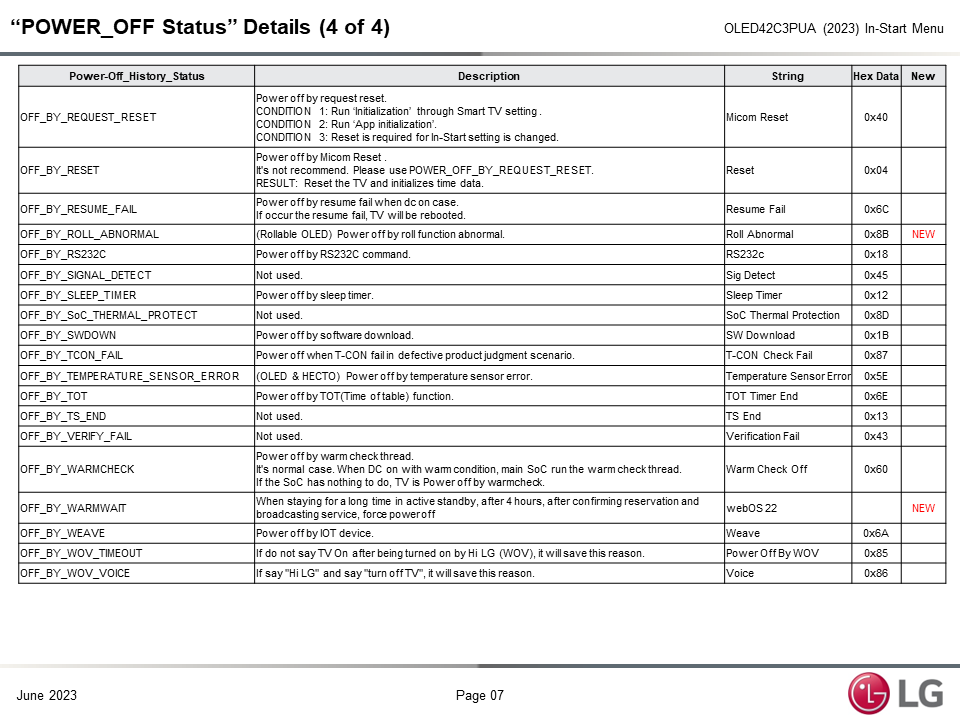
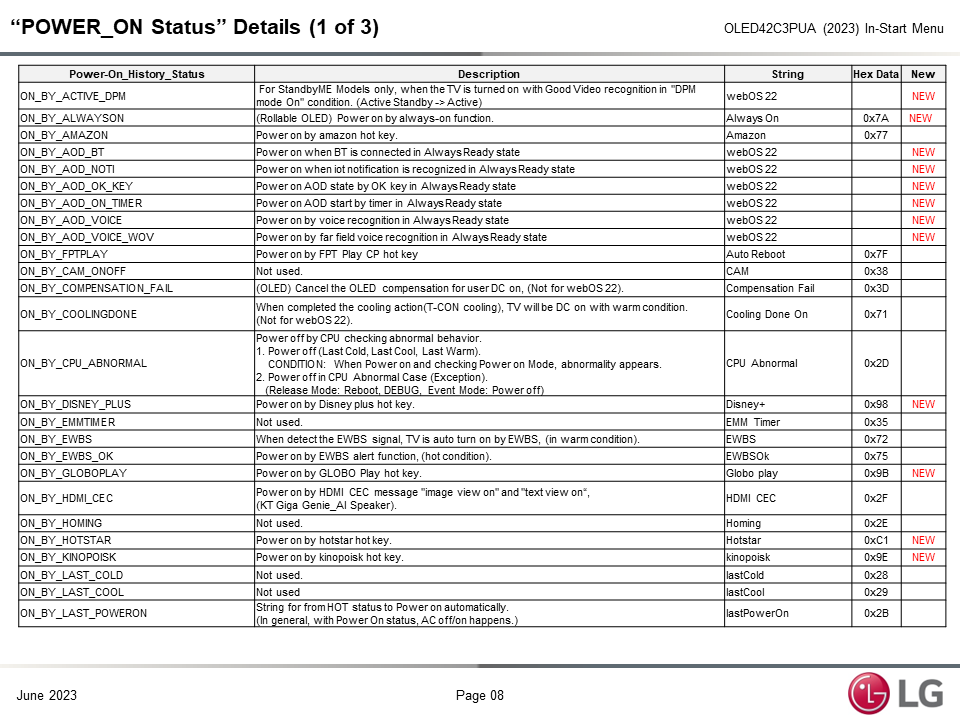
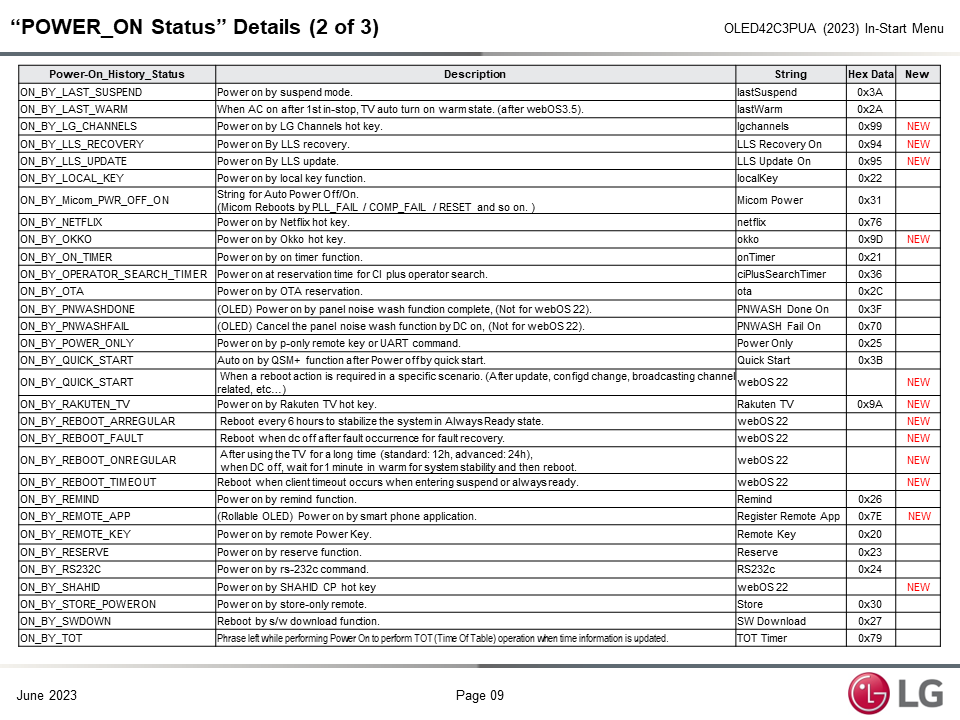
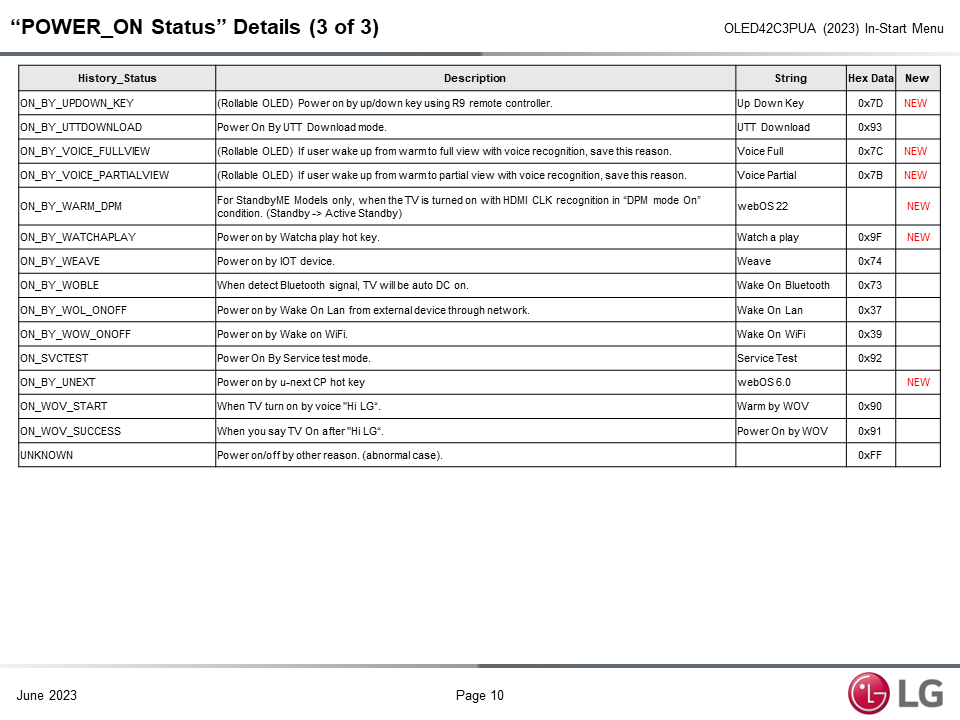
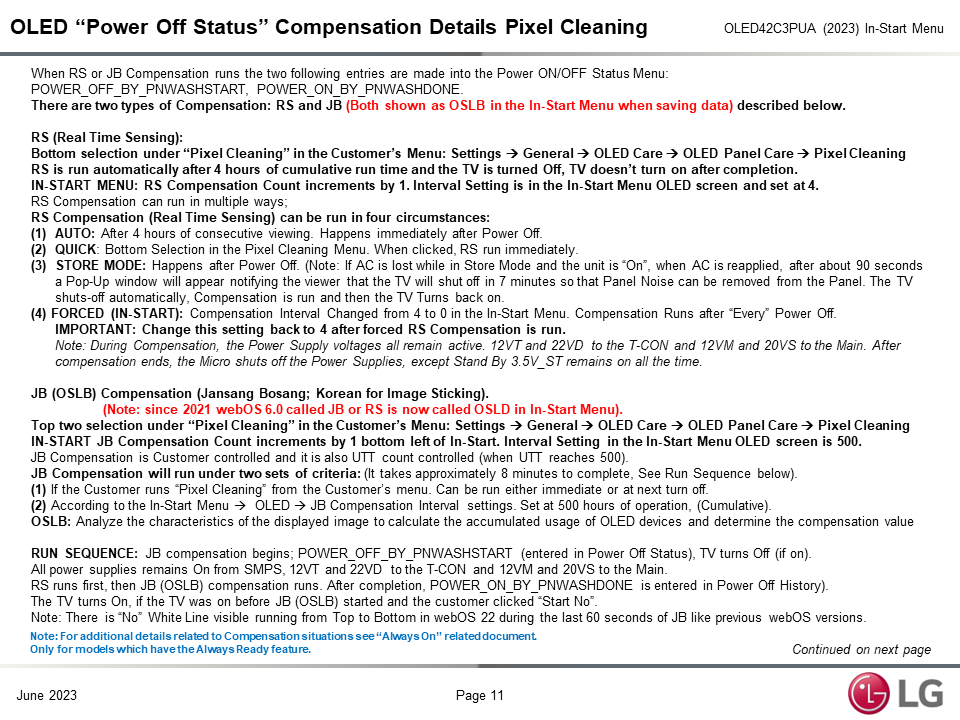
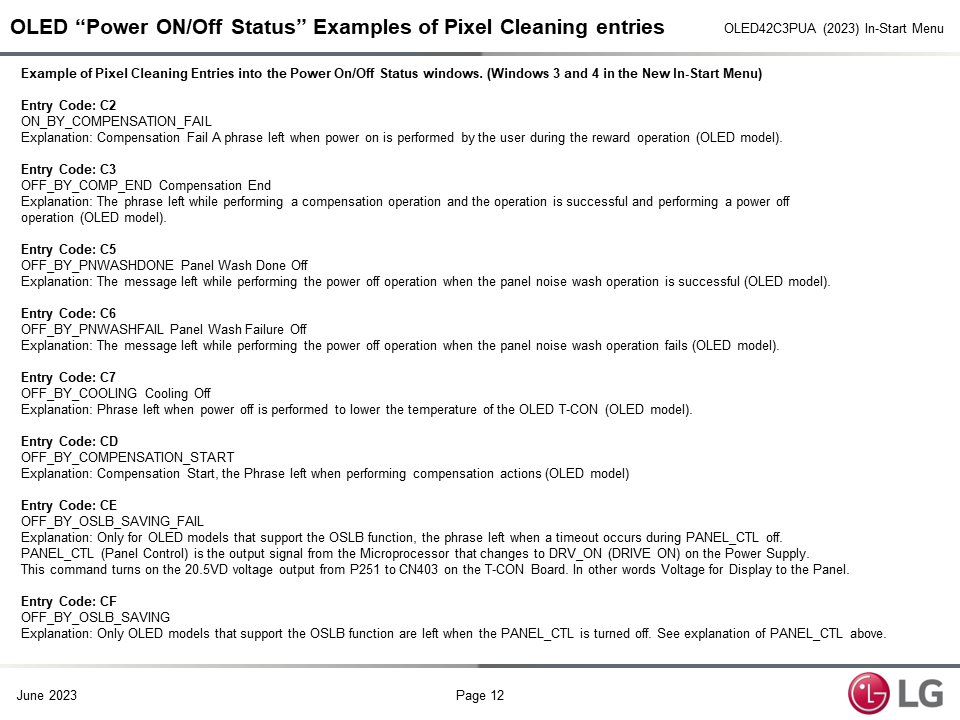
When there is an issue with the Television in which the Customer complains that the TV is turning off all by itself, the Power On/Off Status Menu is invaluable. From this Screen you can see the last 120 reasons the TV either turned On or Turned Off. An example would be that there are multiple Power Off by Local Key. Most people do not turn their TV on or off using the Joystick. Therefore, the odds are that there is an issue with the Joystick board and/or it’s wiring harness causing an issue.
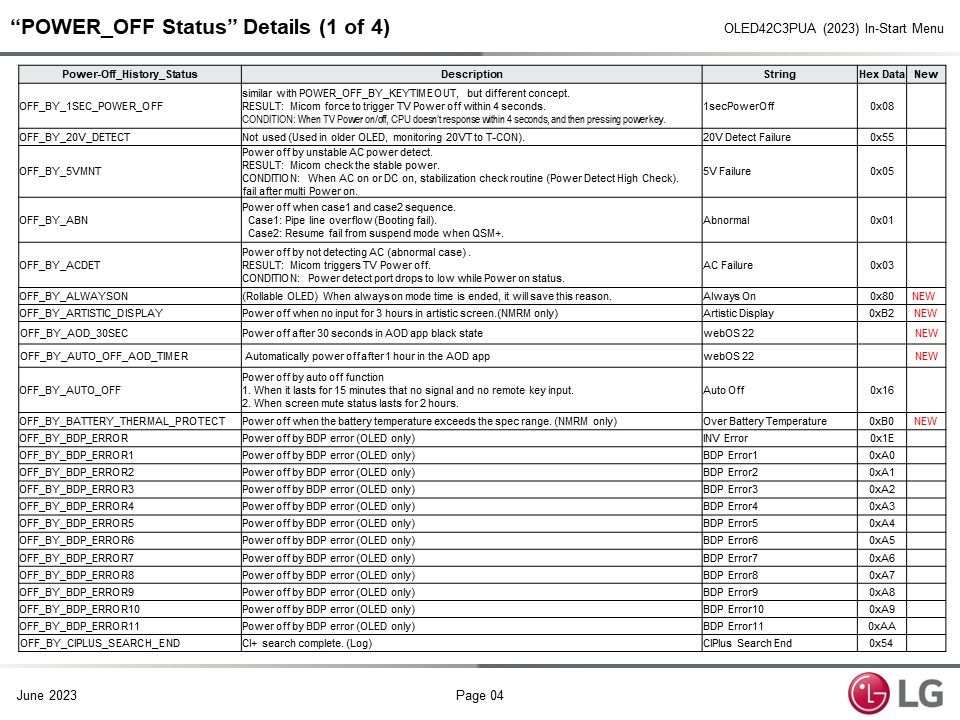
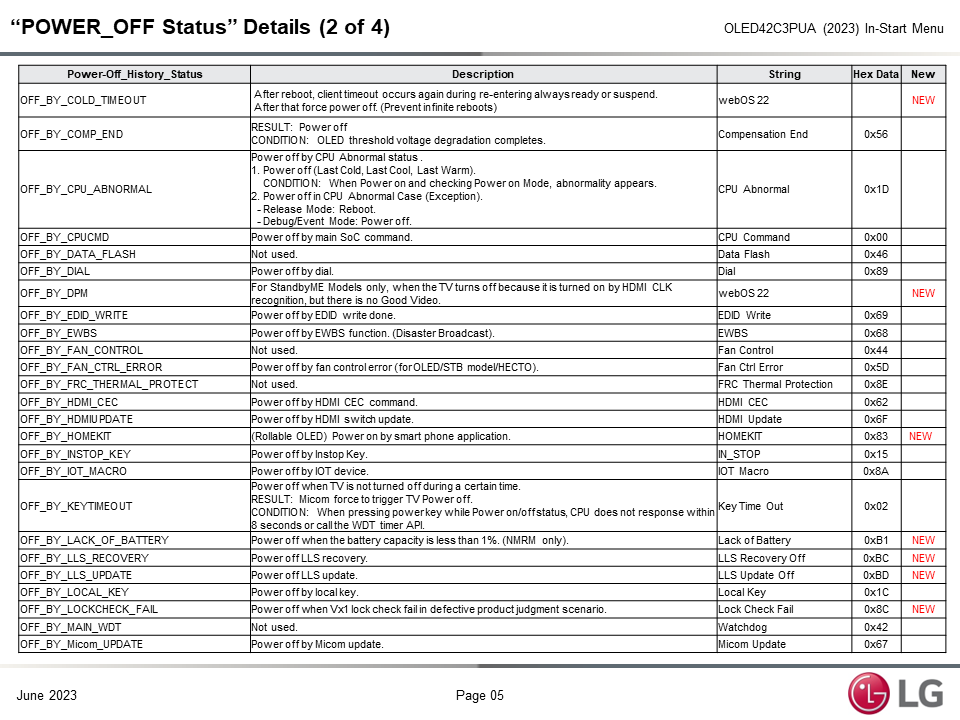
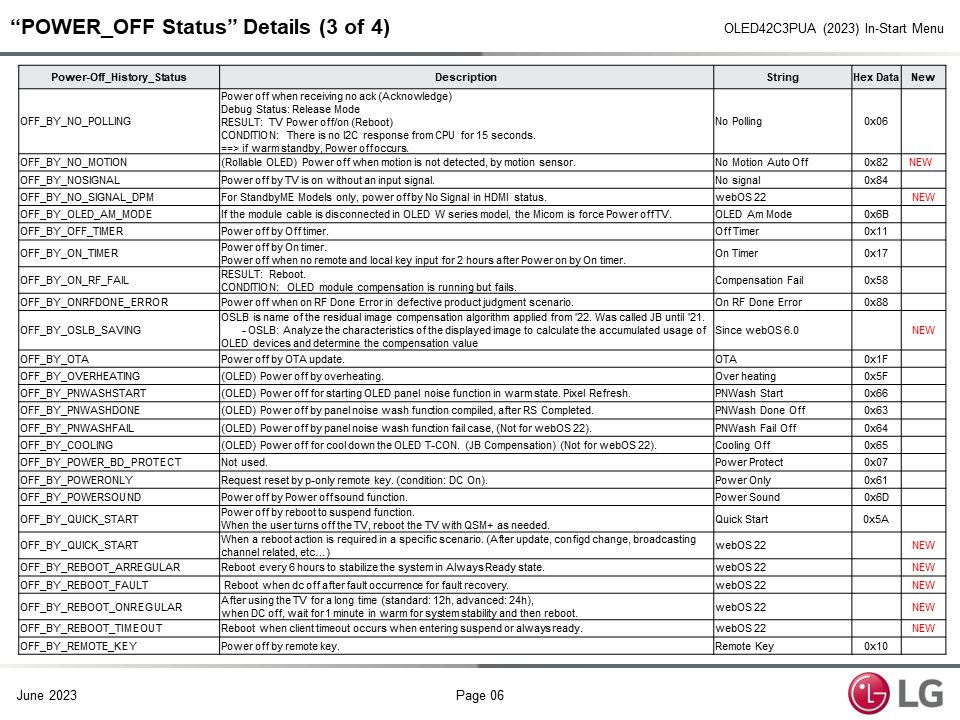
On the attached PDF, pages 5~12 are tables indicating what the Power On/Off codes mean. Page 13 explains OLED Compensation codes and functions. Page 14 are compensation codes within the Power On/Off Status menu.
To access the Service Menu
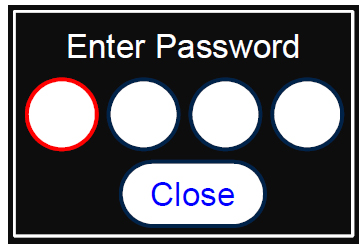
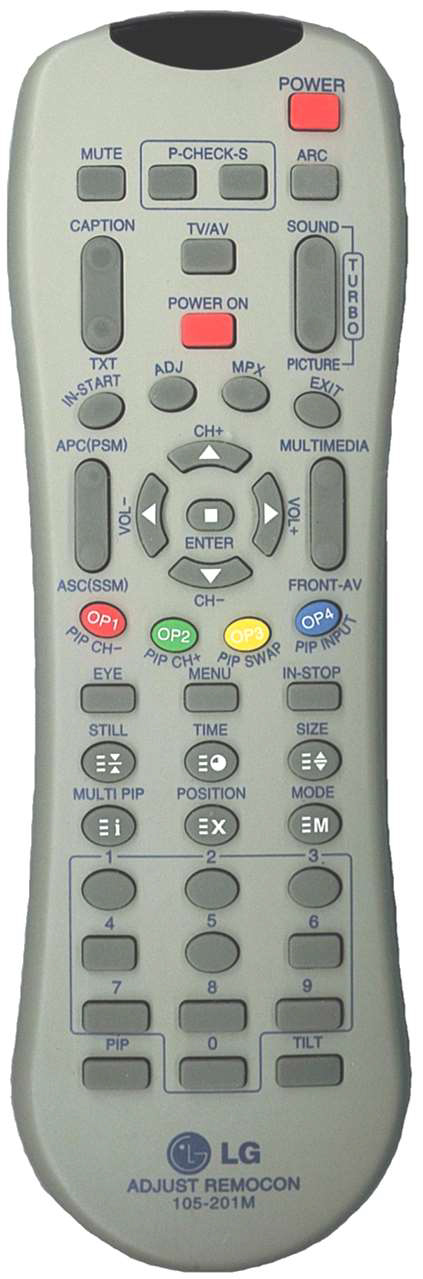
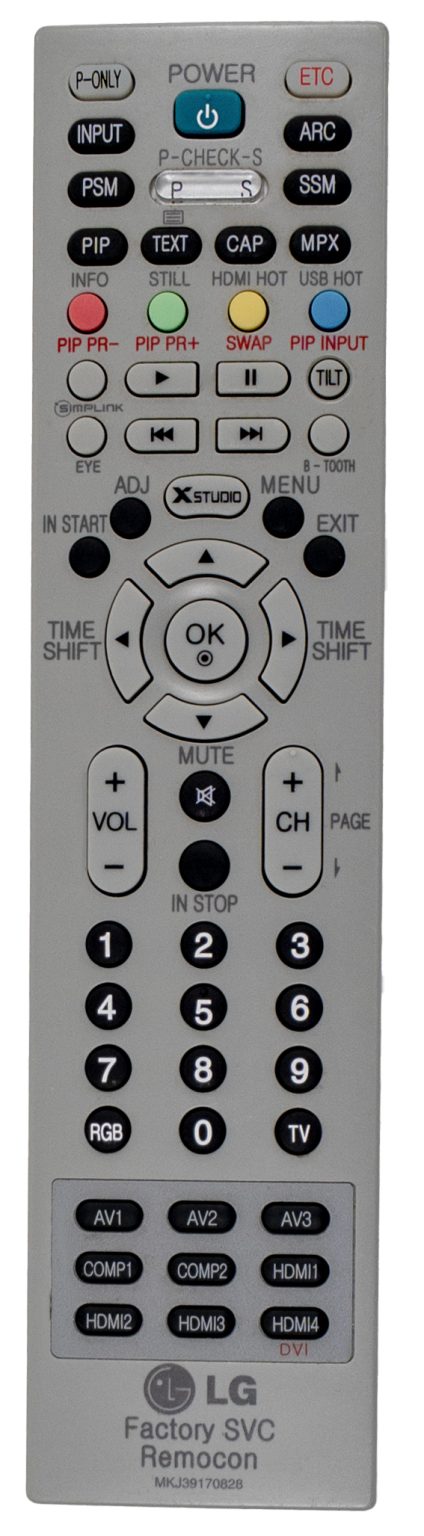
1) You must have either Service Remote. p/n 105-201M or p/n MKJ39170828 2) Press “In-Start” 3) A Password screen appears. 4) Enter the Password.
Note: A Password is required to enter the Service
Menu. Enter; 0413
Note 1: Older sets used 0000.
Note 2: webOS Models: While in the In-Start Menu, the Cursor Right or Cursor Left does not work with the 105-201M remote on the Left. Use the Customer’s Remote Control Cursor Keys.